

How To Guides for AI Visual Inspection
Practical, step-by-step guides for building, maintaining and scaling AI-powered inspection with ReliVision — written for QA and manufacturing teams.
Training Data
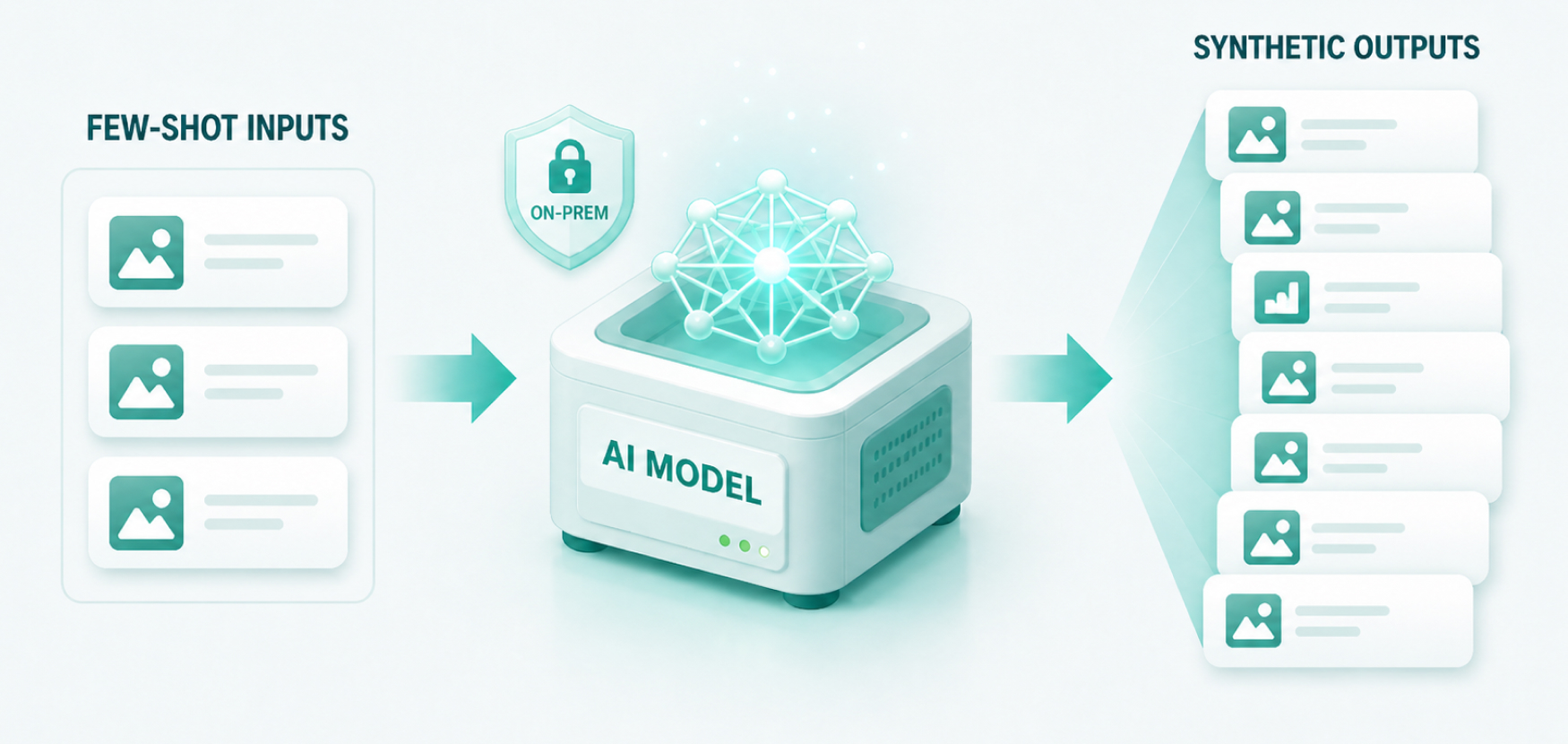
Generate Synthetic Defect Data
Produce realistic synthetic defect images with the on-prem GenAI engine when real defect examples are too rare to train a reliable model on.
Read guide →Training Data
Deploy Inspection with Minimal Data
Use few-shot training and on-prem generative augmentation to stand up a working inspection model from only a handful of defect examples.
Read guide →Getting Started
Build AI Inspection with Our Intuitive UI
Go from raw images to a deployed inspection solution using ReliUI's no-code interface — annotation, training and deployment without writing a line of code.
Read guide →Strategy
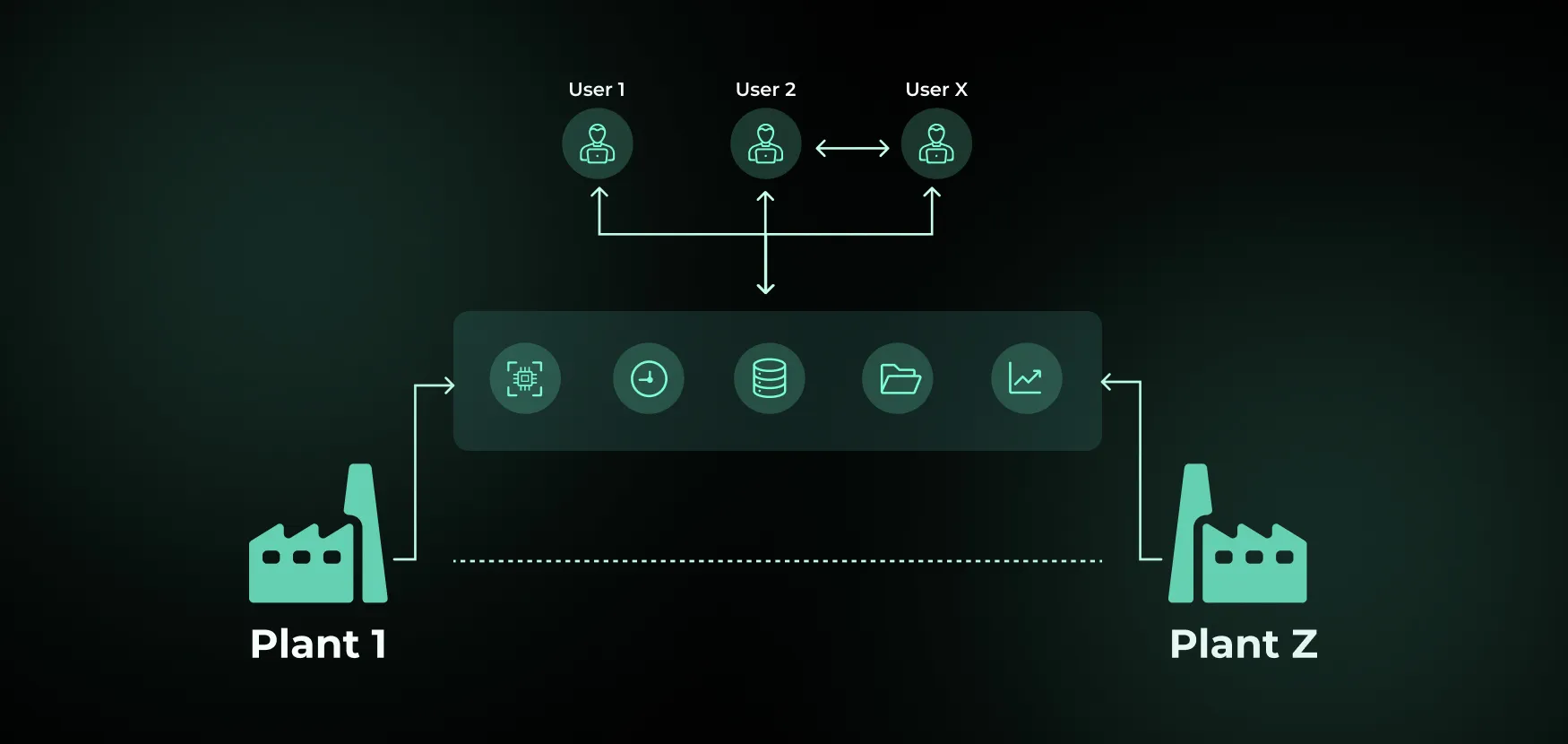
Design a Scalable, Zero-Defect Inspection Strategy
Plan inspection coverage across stations, lines and sites so quality targets hold as volume grows, instead of solving one station at a time.
Read guide →New Product Introduction
Eliminate the Inspection Gap at NPI
Close the window between the first build of a new product and a stable inspection recipe, so escapes and rework do not concentrate in the ramp.
Read guide →Pipelines
Build a Pipeline with Custom Post-Processing
Assemble an inspection pipeline and add custom post-processing logic so raw model output becomes a pass/fail decision your line can act on.
Read guide →Model Maintenance
Maintain AI Models without a Data Science Team
Monitor, flag, fine-tune and deploy updated models in-house — the full maintenance loop run by the QA team in under three hours.
Read guide →Data Labeling
Accelerate Image Labeling with NLP & Image-Prompted Coding
Generate a classical image-processing node from a text prompt and a reference image, and pre-label defects like porosity before deep-learning training begins.
Read guide →Pipelines
Catch Multiple Defects with a Single AI Pipeline
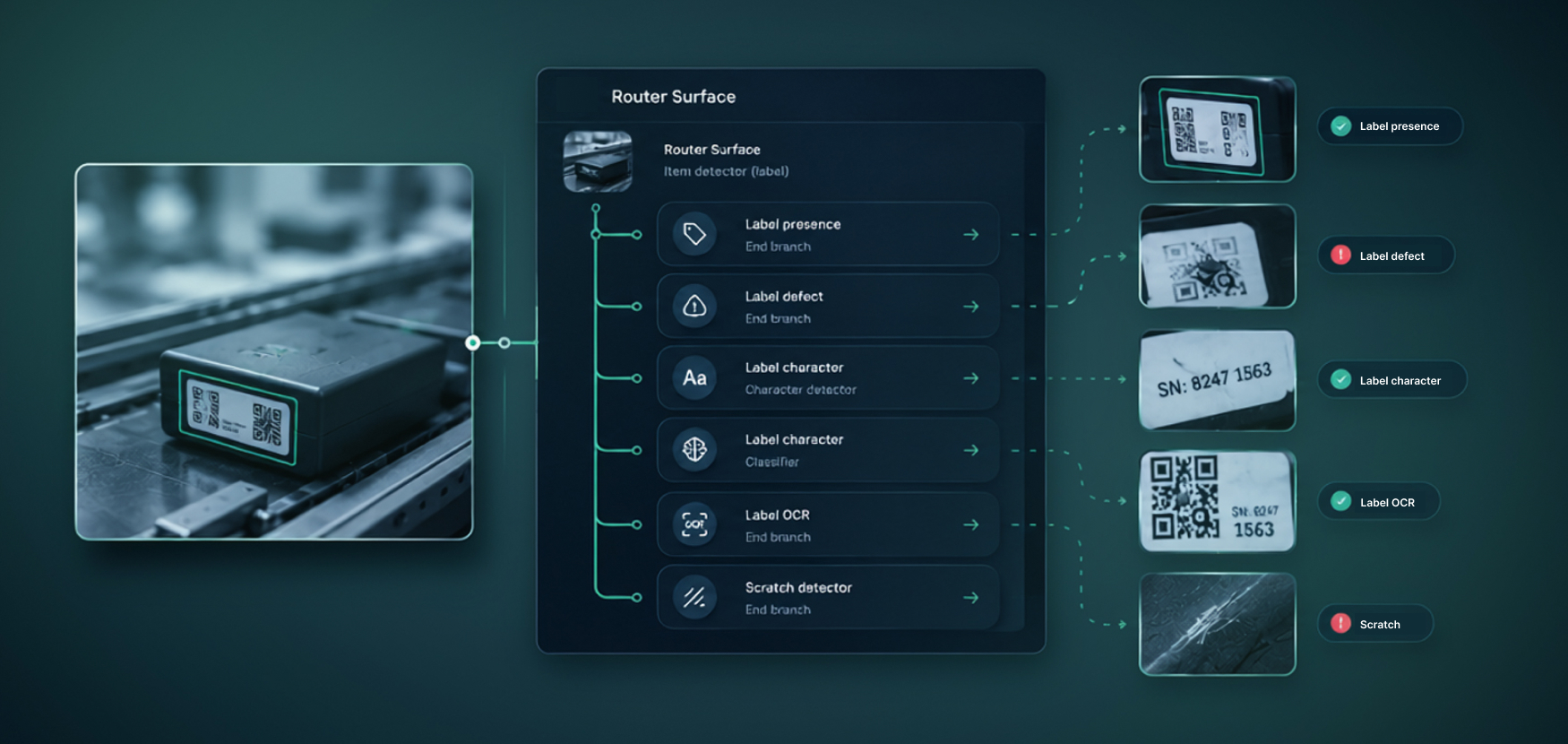
Build one branching pipeline that checks label presence, label defects, printed characters and surface condition in a single pass.
Read guide →
.webp)
.webp)
.jpg)
.jpg)
Get started with ReliVision
Every guide here runs on the ReliVision client, ReliUI. Download it to follow along on your own images, or get in touch if you would like the team to walk through a use case with you.
Download ReliVision
Get the ReliUI client and a dedicated GPU server to work through any of these guides on your own defect images.
Download ReliVision


